Save towards something and record each contribution.
2 min read
Start a goal
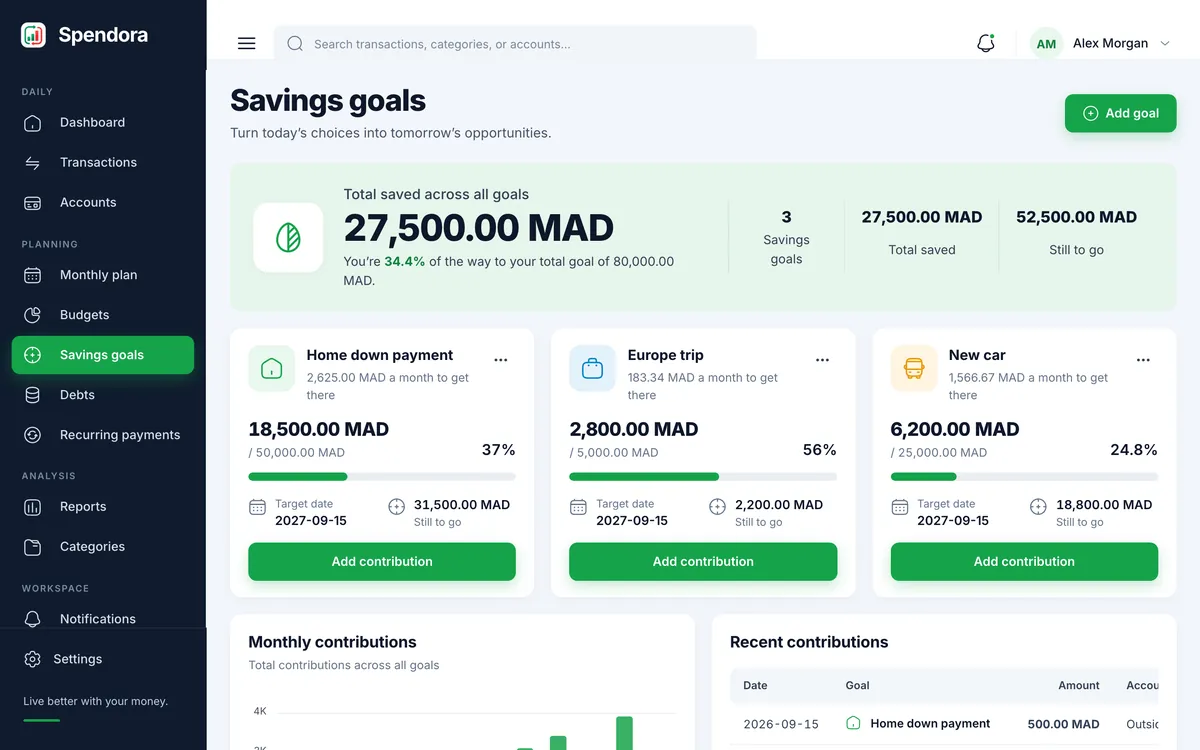
Open Savings goals and press “Add goal”.
Name it, set the target amount and a date if you have one in mind.
Press “Add contribution” whenever you put money aside.
Each goal shows what is saved, what is left and the share reached.
With or without an account
When you add a contribution you can choose the account the money came from, and the balance goes down accordingly. If you choose no account, Spendora only records the contribution and no balance changes.
Removing a contribution reverses it, including the account balance when one was used.