Back to the help centre
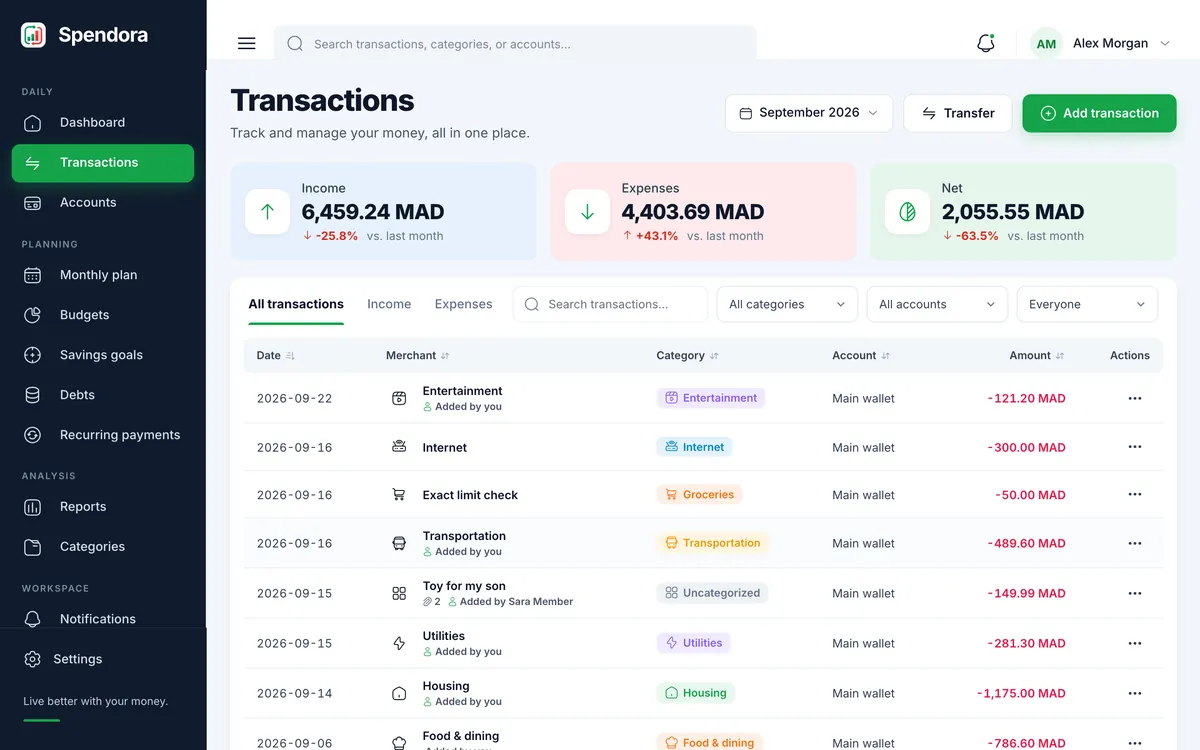
The transactions list, grouped by day.
Record income and expenses
Add an entry in a few seconds, then find it again with search and filters.
Add a transaction
- Press “Add transaction” on the dashboard or the plus button on the Transactions page.
- Choose expense or income, then type the amount. Always enter a positive number; the type decides the direction.
- Pick the account the money moved through, then a category.
- Add a description, notes or a photo of the receipt if you want, and save.
Finding an entry later
The search box looks in descriptions and notes. The tabs limit the list to income or expenses, and you can also filter by account or month.
Open any row to see the full entry, edit it, or delete it. Deleting returns the amount to the account balance.