Set a monthly limit per category and get told before you pass it.
3 min read
Create a budget
Open Budgets and press “Create budget”.
Choose the expense category and the month.
Enter the limit for that month.
Choose when to be warned, for example at 80% of the limit.
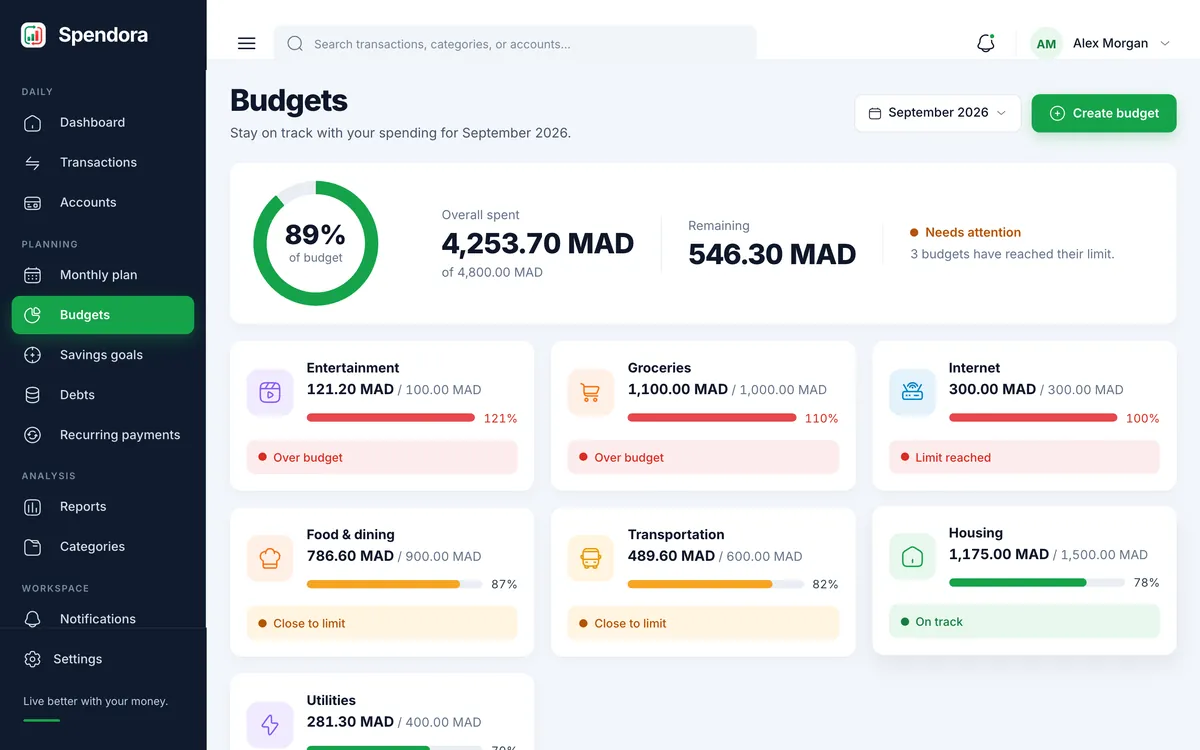
Each budget shows what is spent, what is left and its state.
What the states mean
On track: below your alert level. Close to the limit: you passed the alert level but there is money left. Limit reached: you spent exactly the limit. Over budget: you passed it, and the card shows by how much.
Budgets are per month and per category, so last month’s limit never affects this month.